
ImmCase user manual · Getting started
How to create a contact
A contact is the person you work with: name, email, phone and address. Applicants and cases hang off a contact, so this is usually the first record you create for a new client. It takes about a minute.
Every screen in this guide comes from ImmCase itself, filled with a fictional client («Daniela Ruiz») and firm («Northwind Immigration Consulting»). None of it is real client data.
Getting started
- How to create a contact
- How to create a quote
- How to open a case
Documents and applications
- Collect and review documents
- Keep a client's files in one place
- See all of a case's documents at once
- Send an eForm to a client
- File an application and record IRCC’s decision
- Write a submission letter
Everyday work
On this page: Watch the video · Step by step · Good to know · PDF
Getting started
- How to create a contact · 0:59
- How to create a quote · 0:52
- How to open a case · 0:53
Documents and applications
- Collect and review documents · 0:43
- Keep a client's files in one place · 0:40
- See all of a case's documents at once · 0:47
- Send an eForm to a client · 0:38
- File an application and record IRCC’s decision · 0:48
- Write a submission letter · 0:36
Everyday work
Watch the video
Step by step
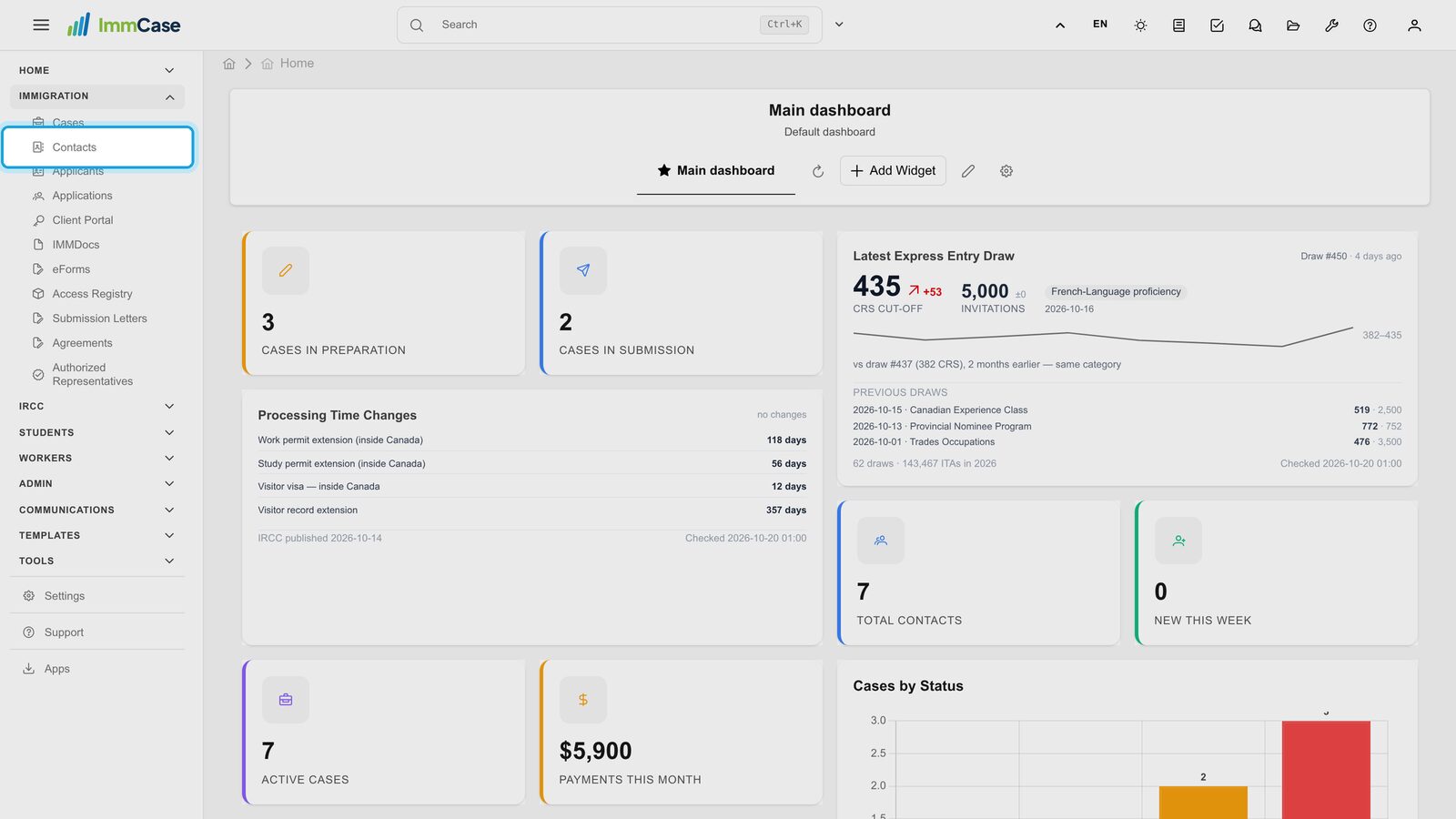
1. Open Contacts
In the left menu, open Immigration and click Contacts. You see the list of every contact in your firm.
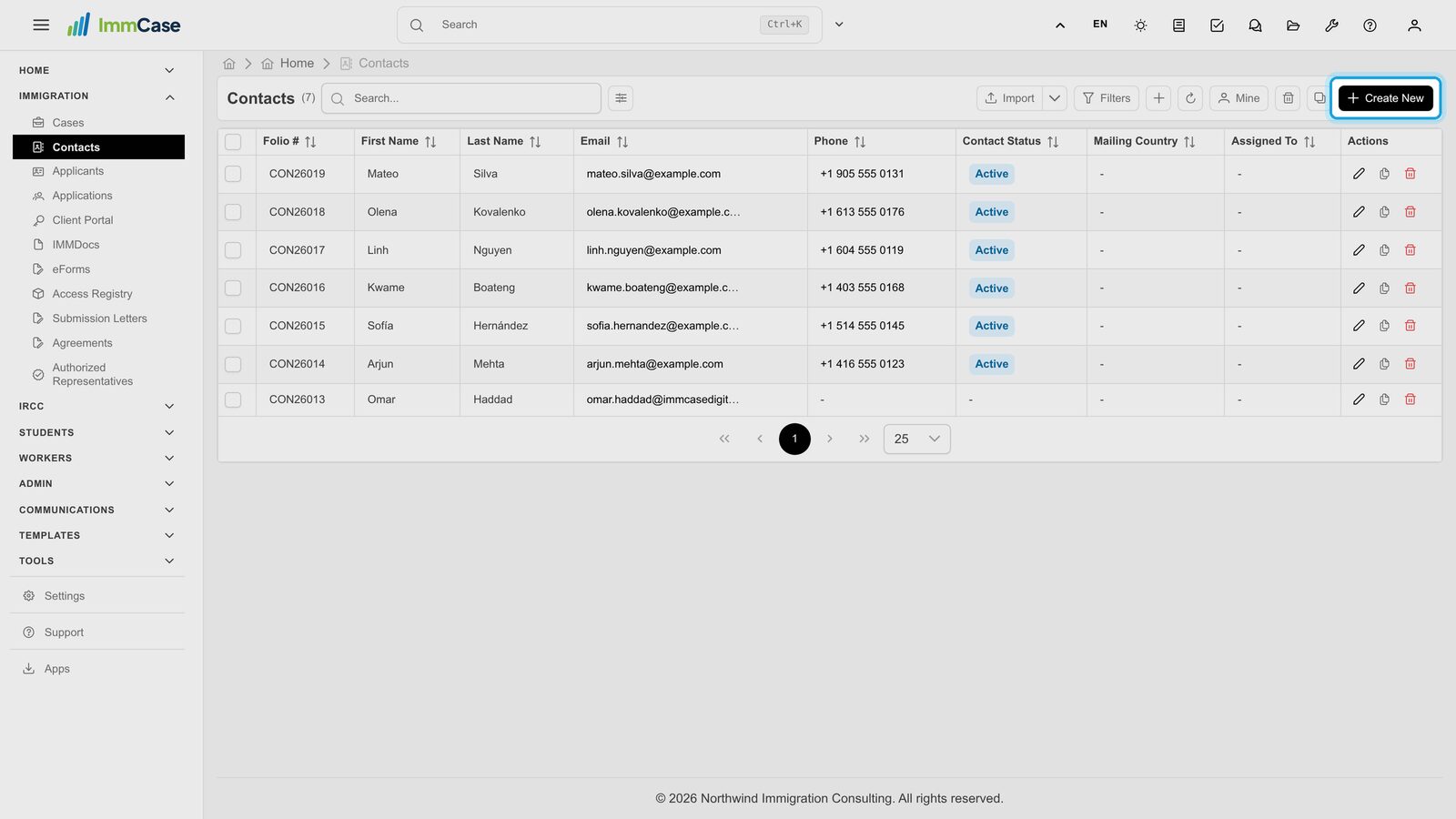
2. Start a new contact
Click Create New, top right of the list.
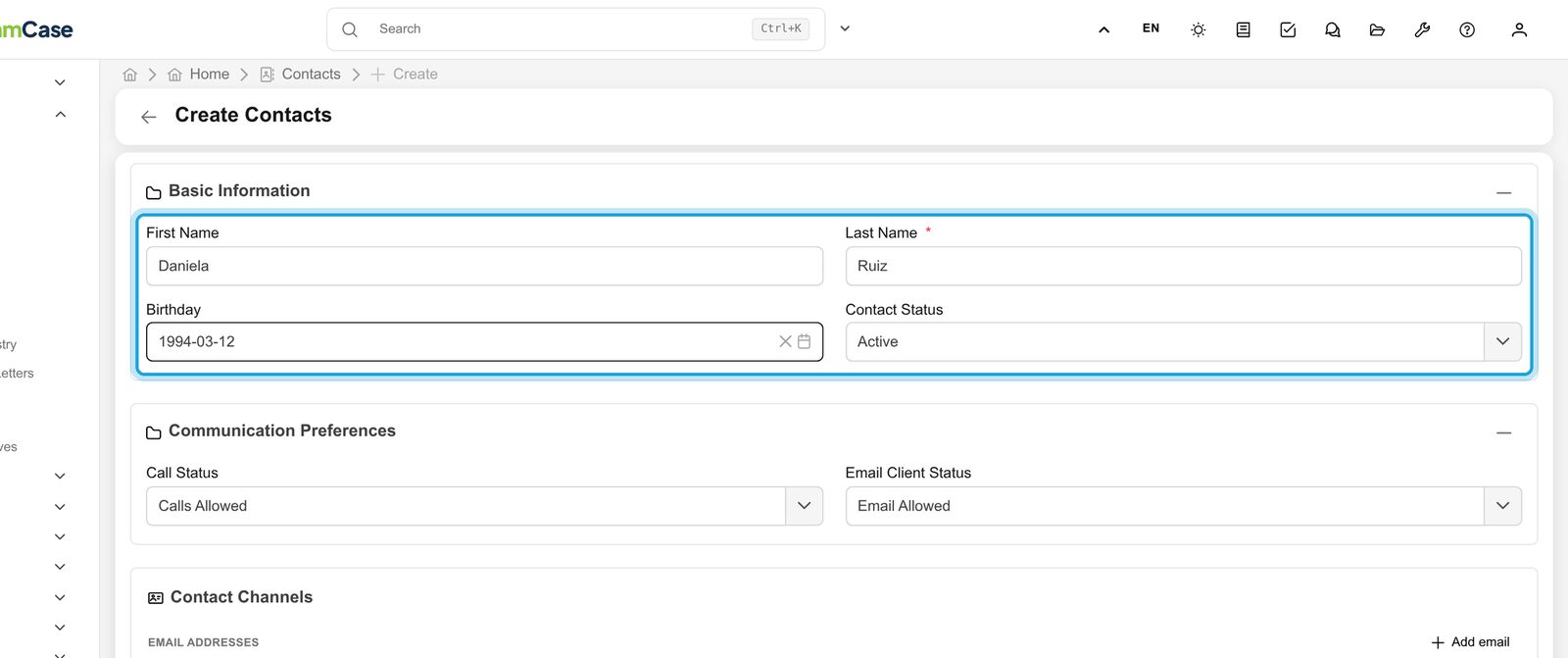
3. Name and date of birth
Type the first name and last name. The last name is the only required field (marked *). The birthday is optional; type it as YYYY-MM-DD or pick it from the calendar. Contact status starts as Active.
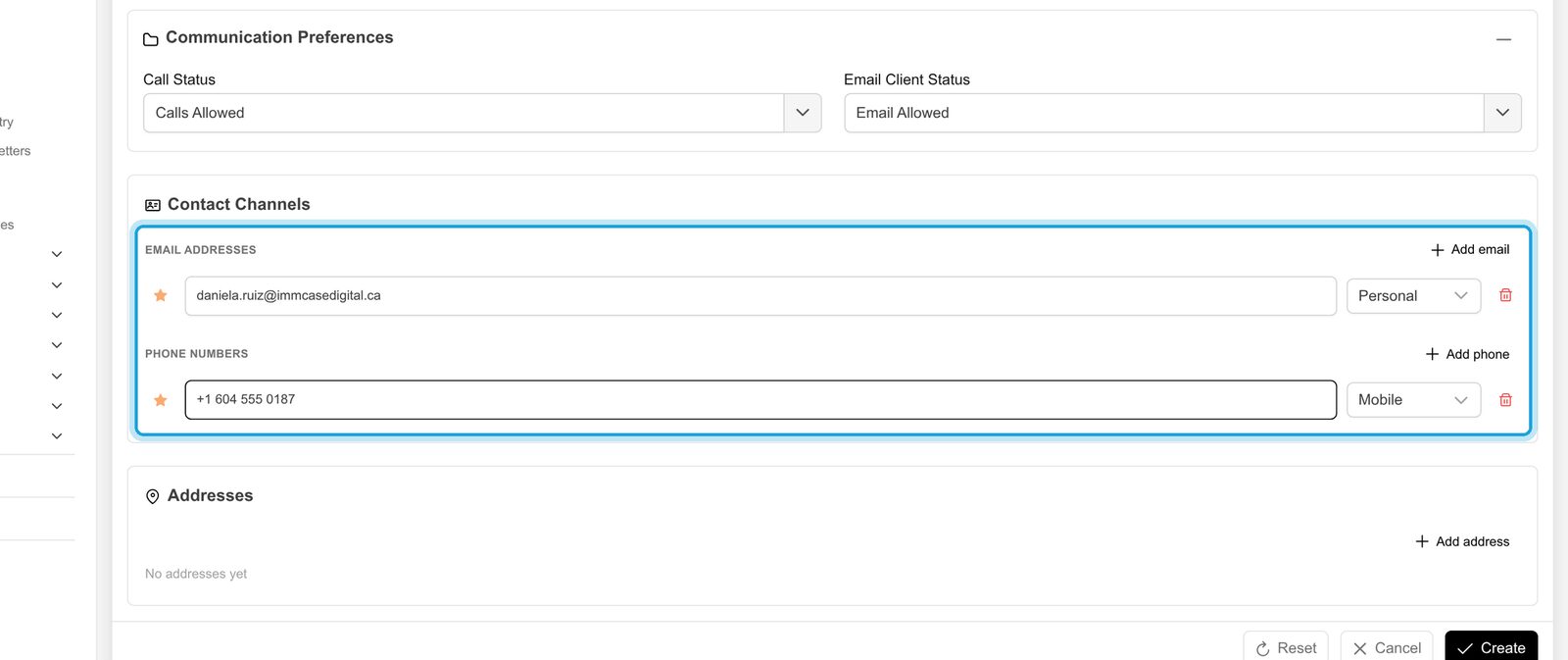
4. Email and phone
Under Contact Channels, click Add email and type the address, then Add phone and type the number. Pick the type on the right (Personal, Work, Mobile…). You can add as many as the client has; the star marks the main one.
5. Address
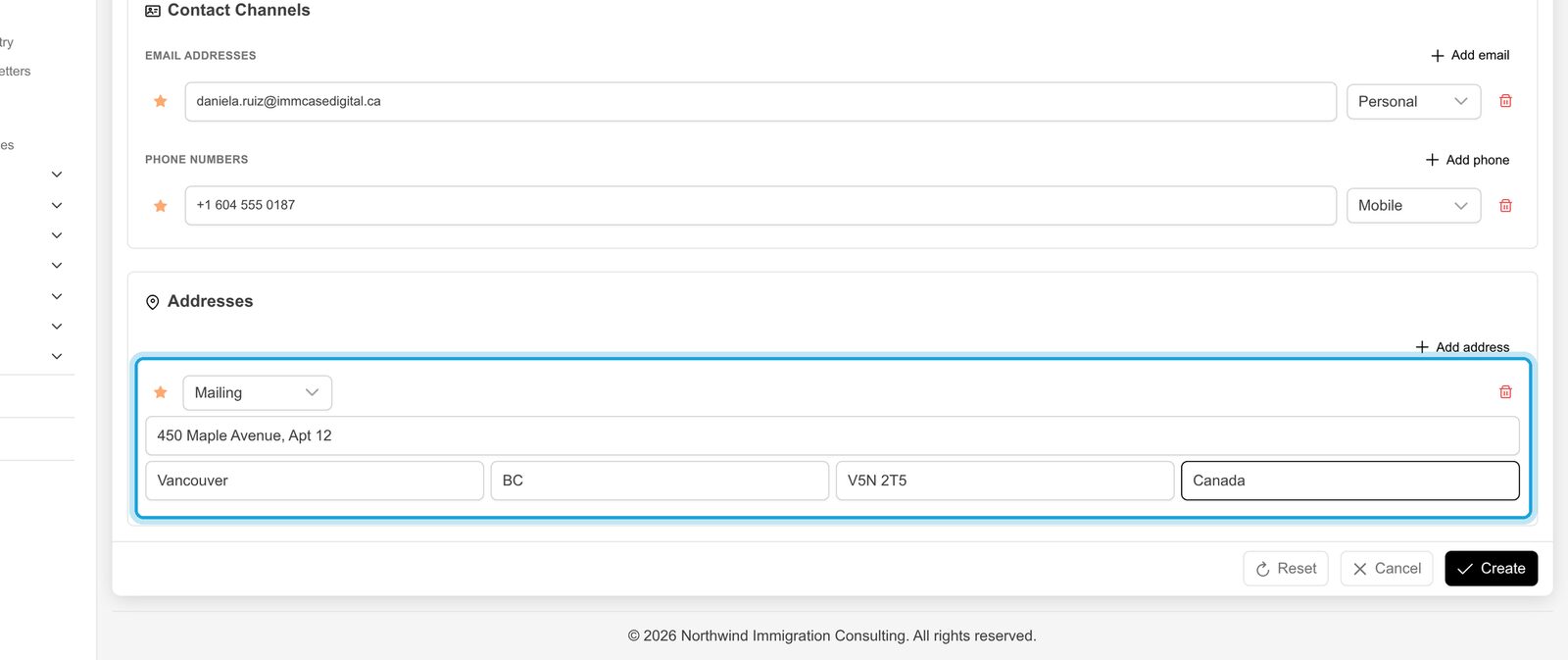
Click Add address and fill in street, city, province, postal code and country. The first address is the mailing address.
6. Save
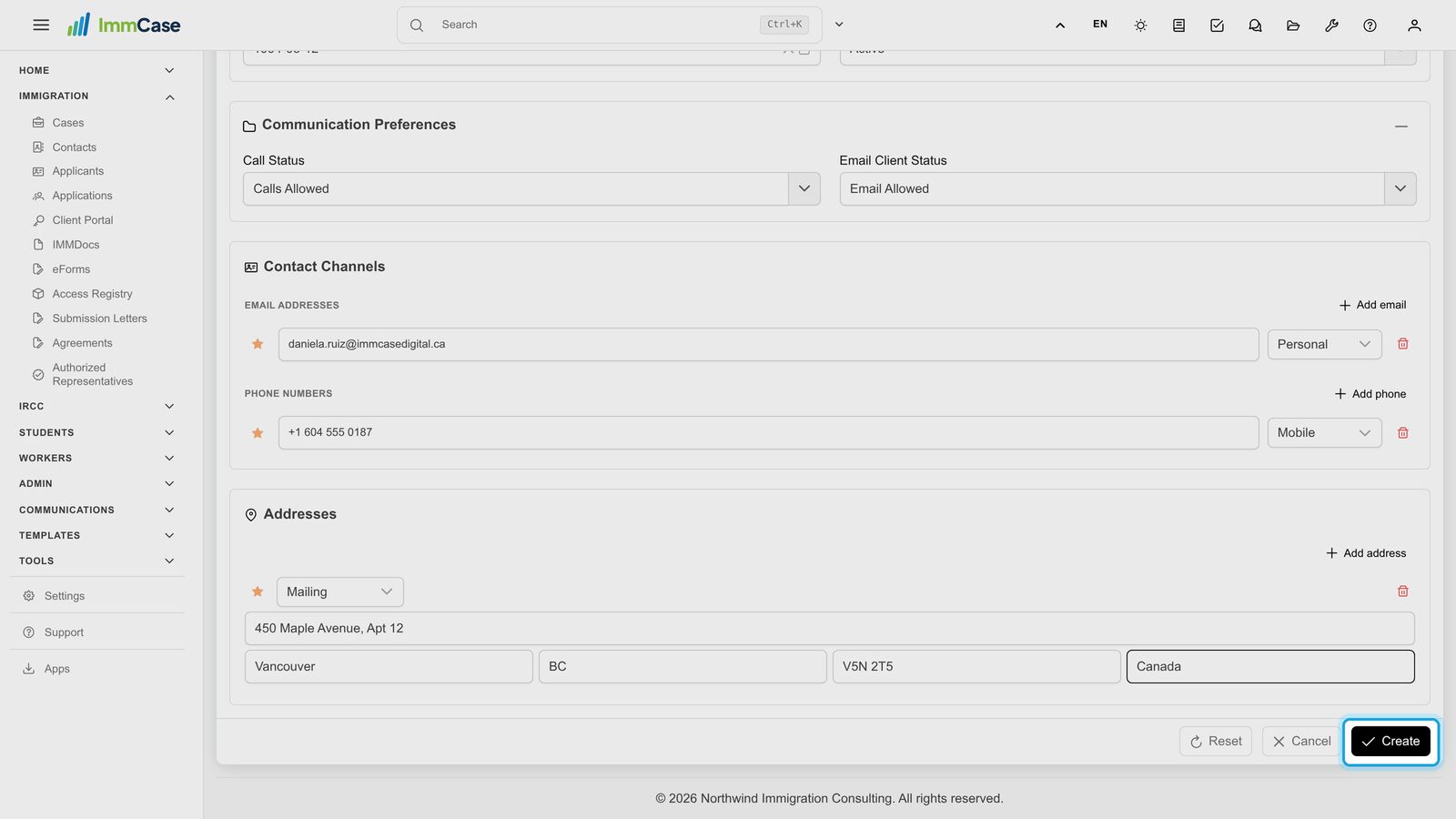
Click Create at the bottom right. Cancel leaves without saving; Reset clears the form.
7. The contact is in your list
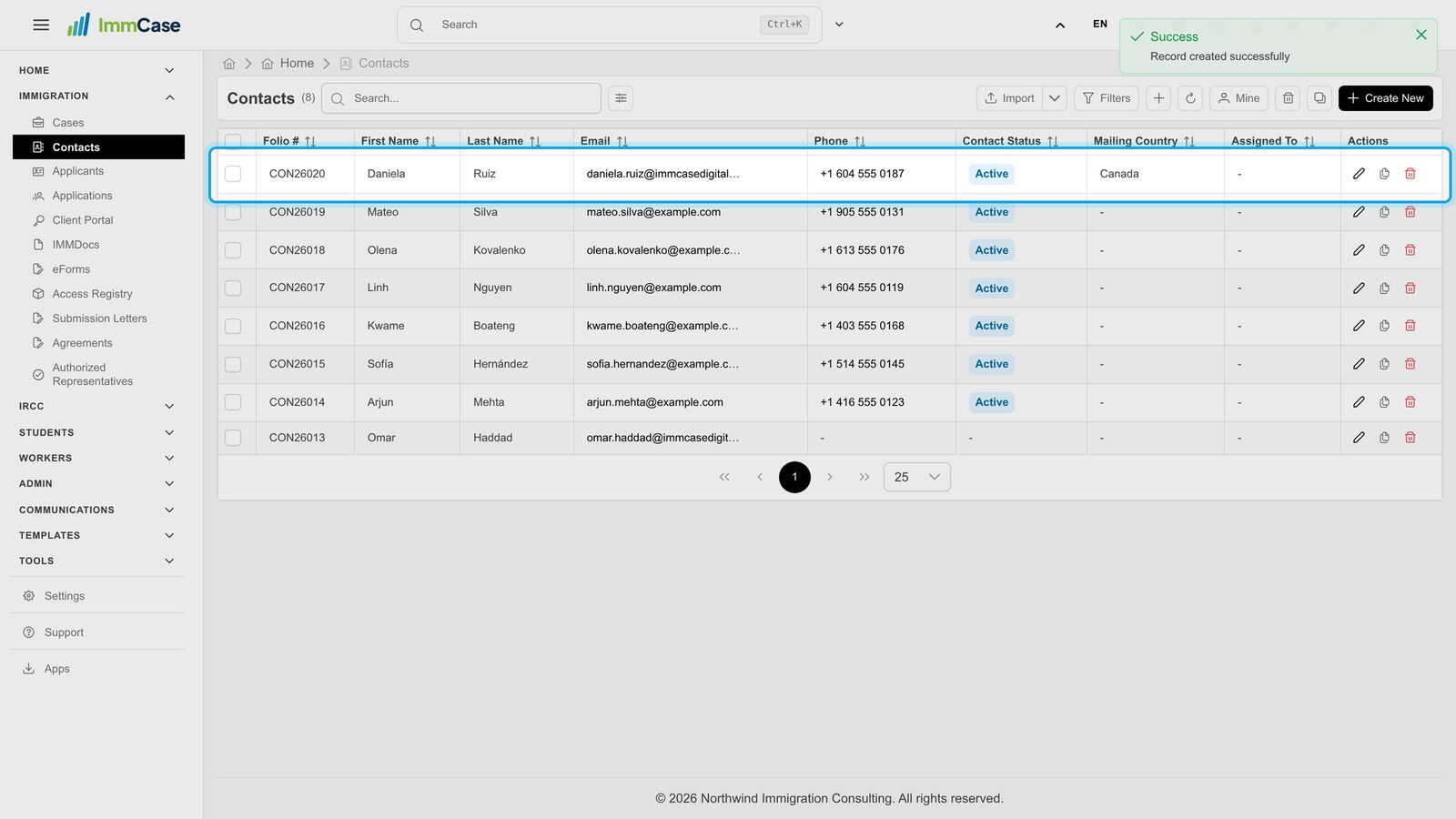
ImmCase gives the contact a number (its folio, e.g. CON…) and shows it in the list with the email, phone and country you entered.
8. Open the contact
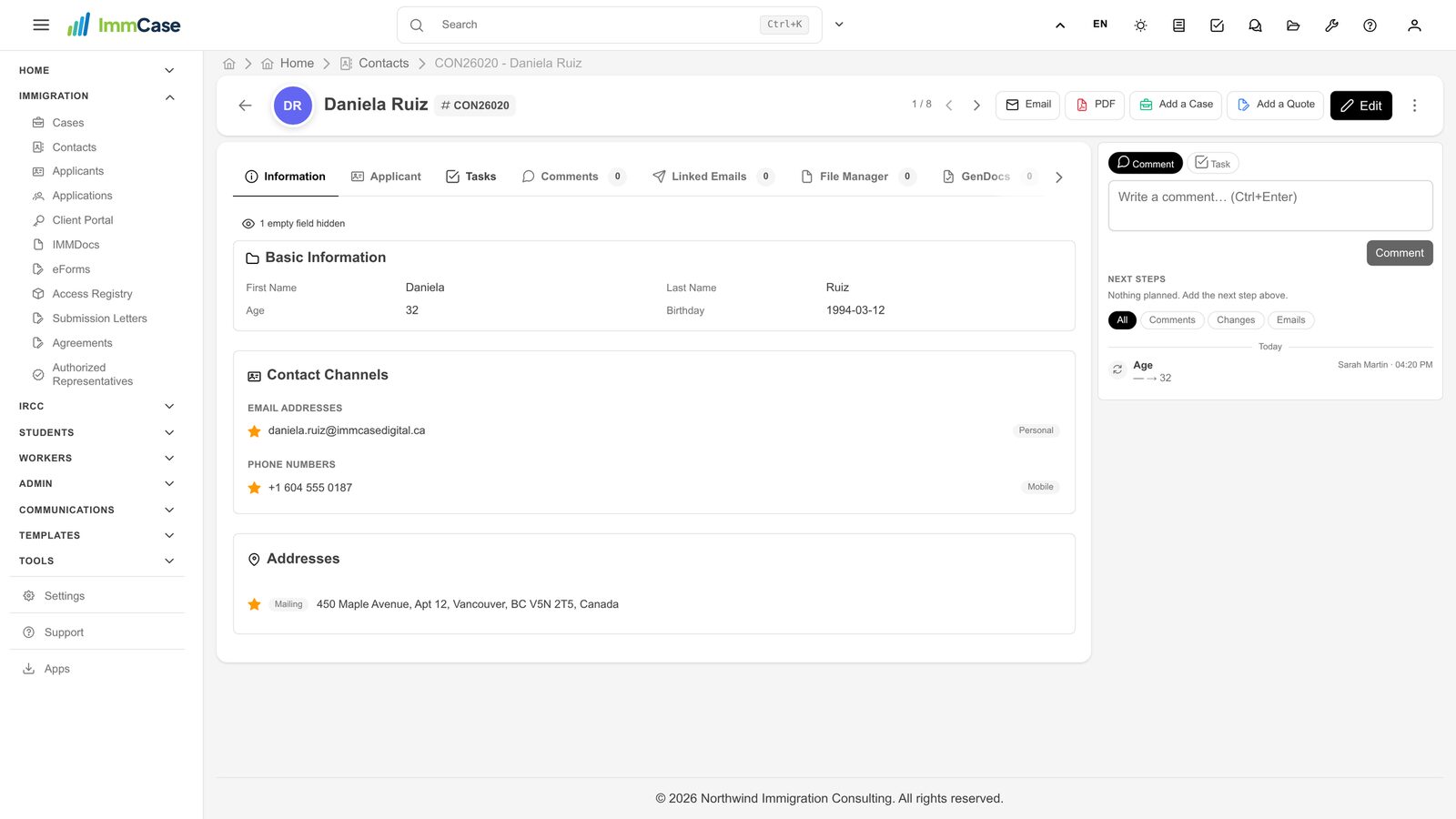
Click the name to open the contact. From here you add applicants and cases, send email, write comments and keep the client's files. One contact can hold several applicants, for example a whole family.
Good to know
- Only the last name is required. Save what you have now and complete the rest later with Edit.
- Communication Preferences record whether the client agrees to calls and emails. Leave the defaults unless the client asks otherwise.
- Many clients at once? Use Import on the contacts list instead of typing them one by one.
Something on your screen does not match the guide? Write to us, or use Support inside ImmCase.
Next guide: How to create a quote